
🧠 ReMind: Reclaim Your Focus. Reframe Your Mind.
Are you tired of unconsciously opening social media only to fall into an endless loop of scrolling? ReMind is a mental interruption tool that helps you break the habit loop and put your focus back where it belongs: on your real-life goals.
It's not about blocking apps – it's about giving you the crucial one-second pause to choose intention over instinct.
✨ How ReMind Works
- The Pause: When you open a distracting app (like Instagram, TikTok, or X), ReMind throws up a beautiful, calming screen that automatically interrupts you.
- The Goal: That interruption isn't wasted. It reminds you of the personal goal you set (e.g. "Move your body,” “Work on your side project,” or “Build that life you actually want.”)
- The Choice: In that split second, the decision is yours. Do you choose the quick dopamine hit of the scroll, or the lasting satisfaction of your goal? Most users choose the goal.
- The Reframing: By consistently inserting this pause, ReMind helps you reframe your immediate state of mind, shifting you from impulsive doomscrolling to mindful intention.
🔑 Key Features
- Custom Goal Reminders: Set powerful, personalized goals that appear during your moment of interruption. ReMind makes your priorities impossible to ignore.
- Target Any App: Select all the apps you want ReMind to monitor, from social media and news to games and streaming services.
- Visual Calming Screens: Our custom-designed screens use subtle gradients and minimalist graphics (like the featured brain/clock graphic) to instantly reduce anxiety and encourage mindfulness during the pause.
- Track Your Success: See exactly how many times ReMind helped you successfully choose your goal over distraction.
- Mindfulness Integration: A brief, calming animation or gentle sound reinforces the feeling of reclaiming your time and mental space.
🛑 Stop Scrolling. Start Doing.
We know it's hard to break those deeply ingrained digital habits. ReMind is the simple, elegant solution designed to fight fire with focus. Download ReMind today and start using your phone as a tool for success, not a source of distraction.
Getting Started
Once you've installed the app there are a few more steps to being using ReMind.
- Once you've onboarded, you should be prompted to install our iOS shortcut.
- Tap the 3 little dots on the shortcut name to edit it.
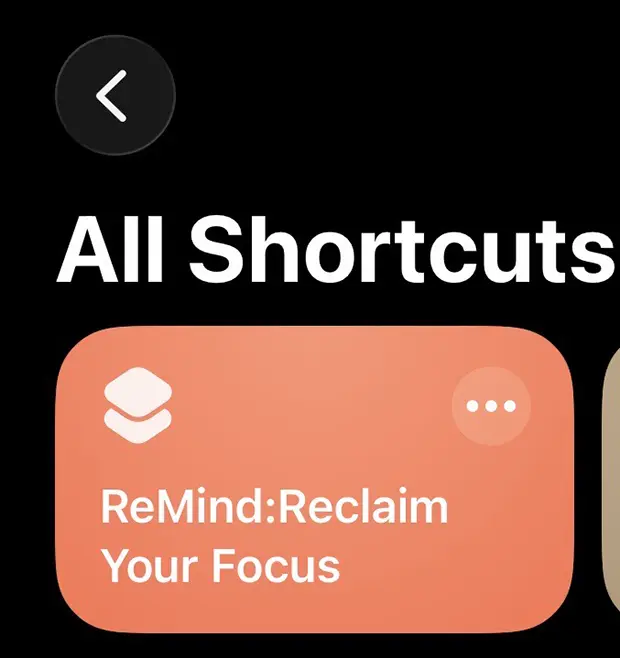
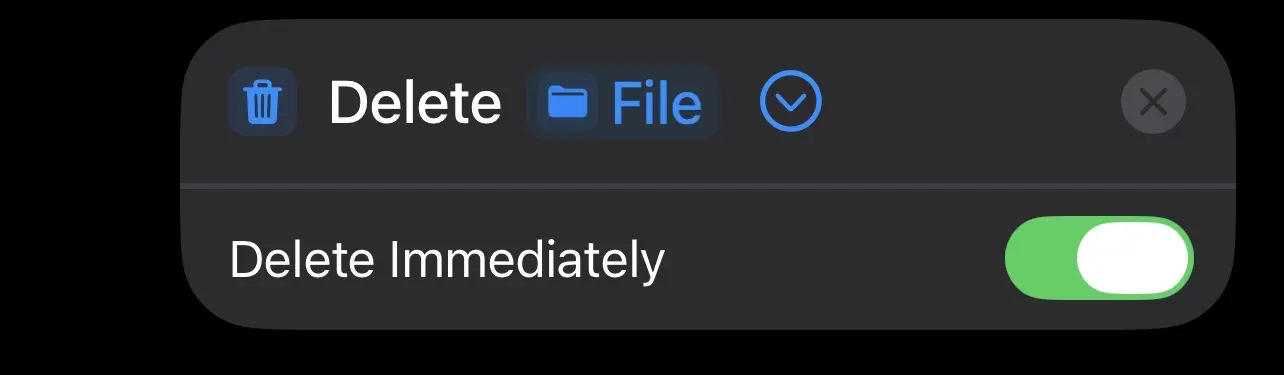
- There should be a couple of instances of "delete file" within the shortcut. Tap the small arrow on these and make sure "delete immedietly" is on.
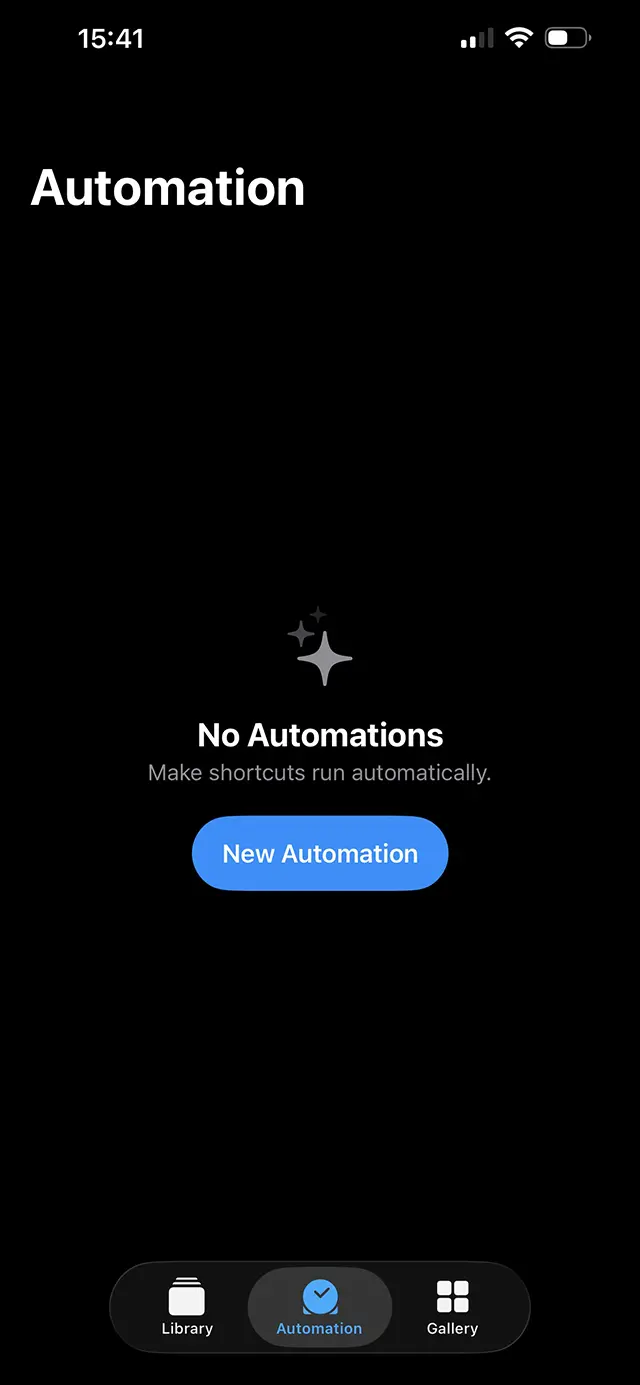
- Now whilst in the shortcuts app on your phone, choose "automation" at the bottom to create a new automation.
- Choose what apps you'd like to have your reminder pop up for. Don't select ReMind though so you don't get stuck in a loop. Make sure you choose "Is Opened" and "Rum immediately"
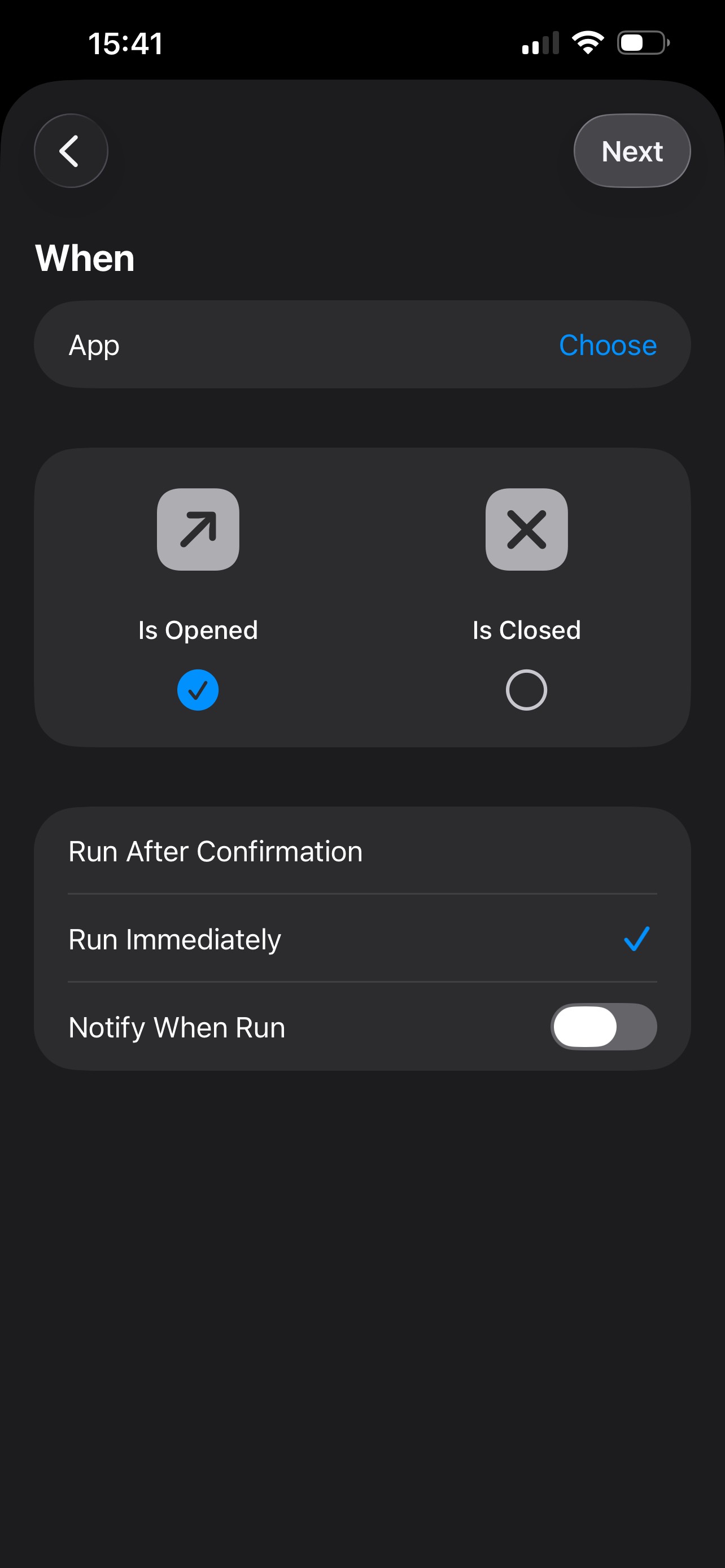
- Once you're done selecting apps, choose "is opened" for the "When" section and select the "ReMind:Reclaim Your Focus" shortcut as the option under "Do". Then tap "Done" in the top right.
- You should now be setup! If you have any issues, reach out to us at